
Your reef,
tracked and in control.
AquasManager brings together everything an aquarium needs: livestock, water parameters, ICP tests, maintenance, frags… and controls your equipment through ESP32 controllers that keep running even without a server.
- Self-hosted
- Installable on mobile
- Works offline
- ESP32 · ESPHome · MQTT
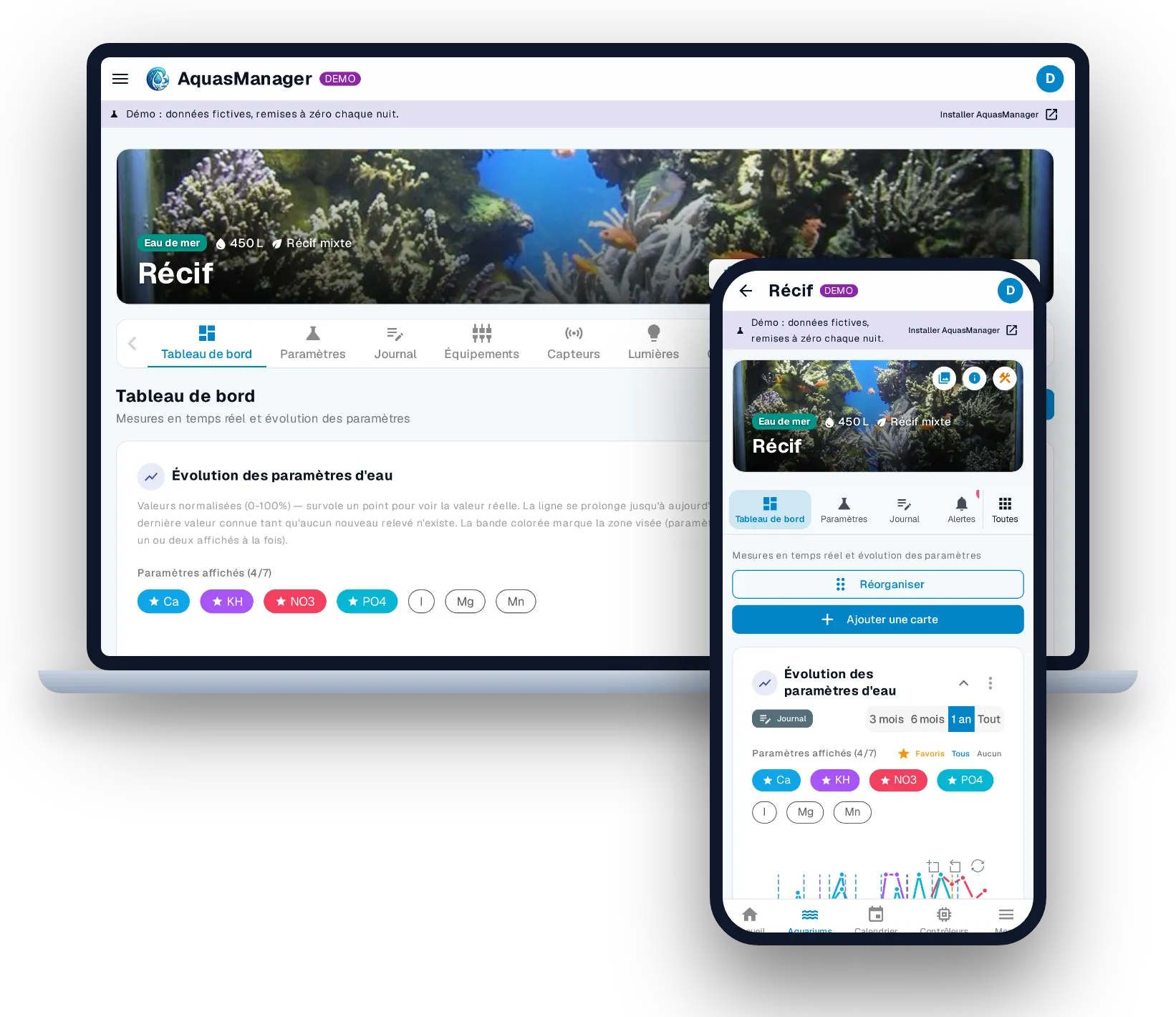
Features
Your whole aquarium,
in one place.
Aquariums and livestock
All your tanks, saltwater or freshwater, and every inhabitant with its own record, photos and history.
Water parameters and ICP tests
Manual readings, targets, charts and trends, plus automatic import of lab ICP tests.
- Quick readings, one at a time or in a batch
- Default targets and a target band on the charts
- Trend and estimated date of leaving the target
ESP32 controllers
Describe your hardware in the interface, AquasManager generates and flashes the firmware. The controller keeps working even without a server.
- Pins, relays, probes and modules declared from the interface
- ESPHome firmware generated automatically, flashing tracked live
- 1-Wire temperature probes detected on the bus
Rules and automations
If the probe goes over a threshold, turn off the pump. Rules that are simple to write, with safeties designed for living things.
Lighting
Program your LED fixtures channel by channel, with moonlight and gradual acclimation.
Equipment and energy
Pumps, skimmer, heater, ATO… Control them, track their wear and what they consume.
Maintenance, stock and calendar
Recurring tasks, daily reminders, a calendar and a consumables stock. Nothing gets forgotten.
Alerts and notifications
A probe running wild, a parameter drifting, an overdue task? You’re notified on your phone.
Frags and purchase documents
Manage your frags in batches, track their survival and keep proof of where your corals come from.
- Frag batches linked to their mother colony
- Movement history and survival tracking
- Invoices, certificates and CITES permits linked to your specimens
Mobile and offline
An installable app that feels native, even in the basement without Wi-Fi.
- Installable on phone, tablet and computer (PWA)
- Mobile layout designed for one hand
- Data and photos available offline
Users and roles
Invite your family or the person looking after the tank while you’re on holiday, each with the right permissions.
AI assistant
Ask questions in plain language. The assistant looks up your data, with the model of your choice, local or remote.
How it works
The server describes,
the ESP executes.
You configure everything from the interface. AquasManager generates the firmware for each controller, then talks to it in real time over your local network.
Interface
Web app installable on phone, tablet or computer. Also works offline.
Server
Data, history, rules, alerts. Generates each controller’s firmware from your configuration.
MQTT broker
Real-time messaging between the server and the controllers, on your local network.
ESP32 controllers
Relays, probes, LED fixtures. The program is stored on the controller itself.
What if the server goes down? Each ESP32 keeps its program in memory: lighting curves, safety rules and the RTC clock keep running. The server orchestrates; your tank’s survival doesn’t depend on it.
Principles
Built for living things.
Livestock safety first
Rule locks, a maximum run time for the ATO, silent probes flagged, dosing calculated and never guessed.
The server can fail
Lighting, safeties and schedules are stored in each ESP32 controller. Your tank keeps running.
You stay in control
ICP import and the assistant suggest, you confirm. Nothing is written without your review.
Installation
A few questions,
one command.
A guided script installs Docker if needed, lets you pick the components and starts the interface, the server and the MQTT broker on a NAS, a mini PC or a Raspberry Pi 4 or 5 on your local network.
# questions: server address, ESP32 Wi-Fi, components
$ sudo bash install.sh
✔ Docker found
✔ api, ui, mosquitto started
✔ Automatic backup every night
# later: sudo aquasmanager update
# then http://<server-ip>:8080